Oracle
The Oracle module extends debugger capabilities by monitoring a program's internal state and displaying relevant information. Oracles provide insights without requiring source code modifications.
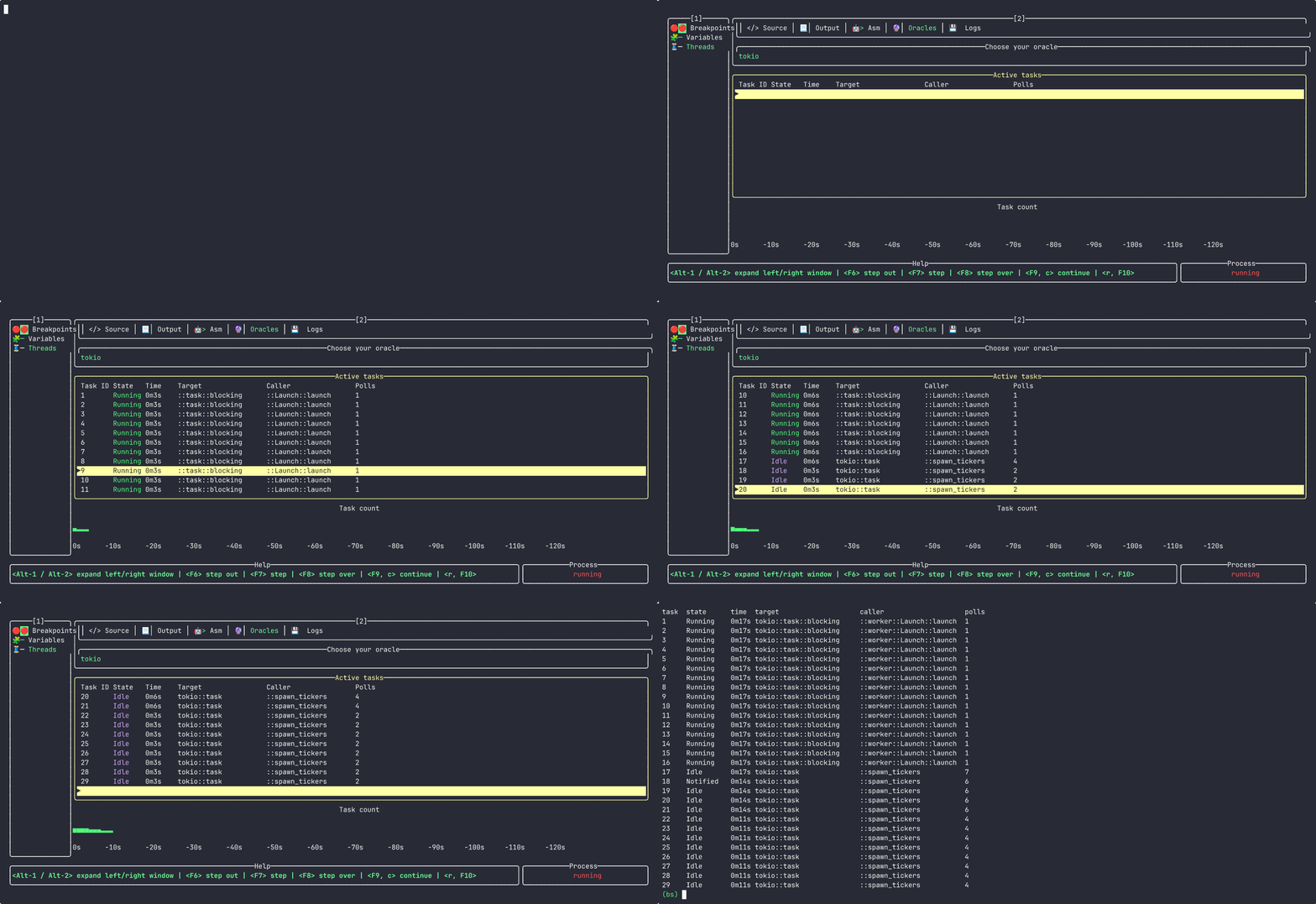
For example, the tokio oracle can inspect the tokio runtime during debugging sessions.
Usage
To enable an oracle, run the debugger with the --oracle flag:
bs --oracle tokio ...
View oracle information using the oracle command:
oracle <name> <subcommands>- run oracle (ex.oracle tokio)
Oracles are also available in TUI mode. Currently, the only built-in oracle is the tokio oracle.
Create your own oracle
📝 TODO
Usage example
Consider this Rust program:
async fn new_ticker_task(task_name: String, seed: u64) {
    loop {
        tokio::time::sleep(std::time::Duration::from_secs(seed)).await;
        println!("task \"{task_name}\" tick!");
    }
}

fn spawn_tickers(rt: &tokio::runtime::Runtime, task_base_name: &str, count: u64) {
    for i in 0..count {
        let name = format!("{task_base_name}_{i}");
        rt.spawn(new_ticker_task(name, 2));
    }
}

fn main() {
    let runtime = tokio::runtime::Builder::new_multi_thread()
        .enable_time()
        .build()
        .unwrap();

    spawn_tickers(&runtime, "task_1", 1);

    std::thread::sleep(std::time::Duration::from_secs(3));
    spawn_tickers(&runtime, "task_2", 4);
    std::thread::sleep(std::time::Duration::from_secs(3));
    spawn_tickers(&runtime, "task_3", 8);
    std::thread::sleep(std::time::Duration::from_secs(100));
}
The tokio oracle can examine runtime state in both console and TUI modes: